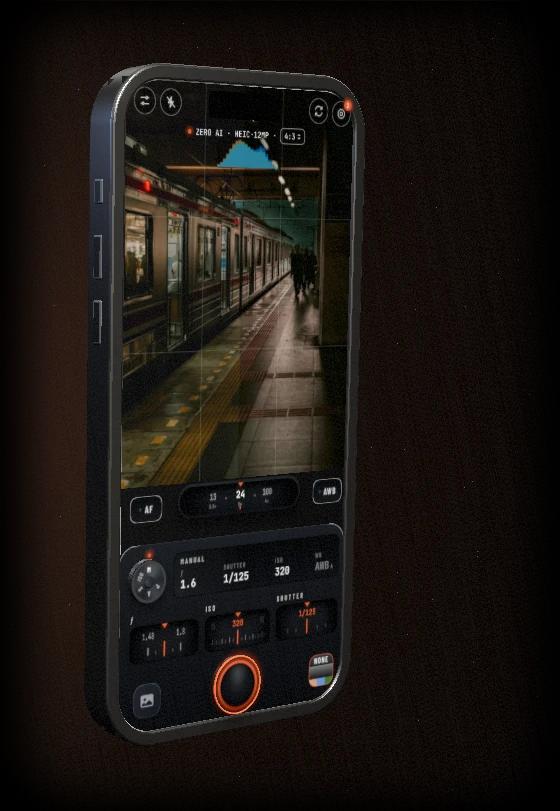
The moment, not the processing.
A manual camera for iPhone that keeps the light you saw, instead of the version a phone decided you wanted.
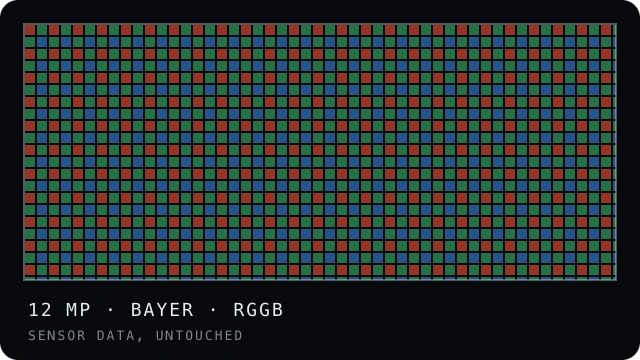
It starts with raw light.
Behind every pixel sits one red, green or blue filter. That mosaic is what your iPhone really saw. Iris can keep all of it.
Nothing in between.
Between the sensor and your screen, a phone pipeline smooths, sharpens and decides for you. In Iris, that layer is gone.
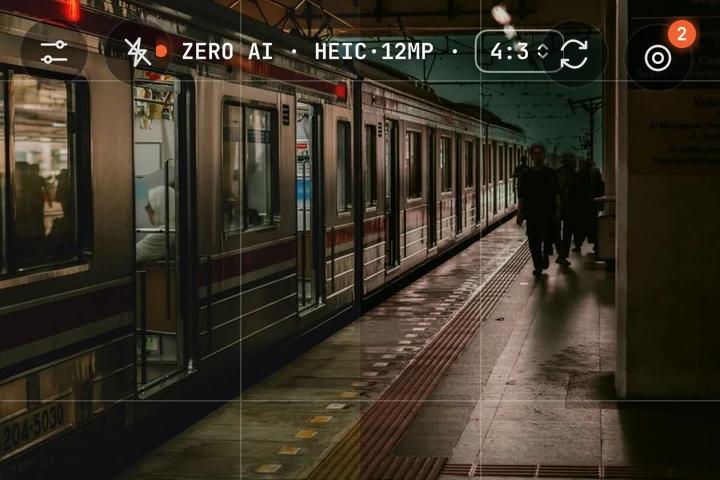
Real texture. Real light.
The rain on the platform. The grain in the dark. Iris keeps it the way your eyes took it in, with nothing that looks like a phone.
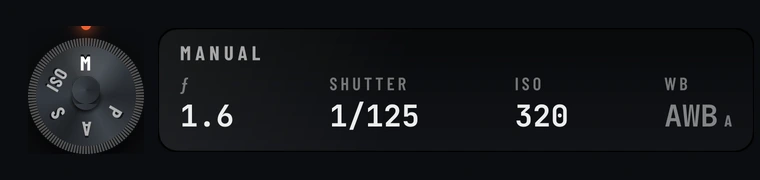
You make the call.
Auto when you are in a hurry. Your own hands when the moment is worth it. Turn one dial and the camera stops deciding for you.
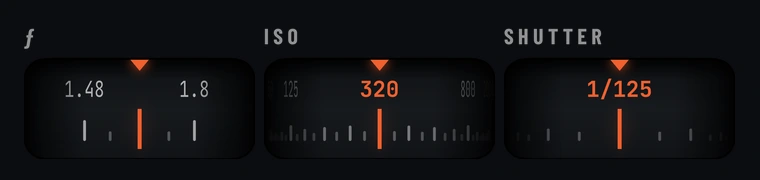
Slide into the feeling.
Open the aperture for a soft, dreamy blur. Slow the shutter and let a river turn to silk. Every ruler is a mood, a thumb away.
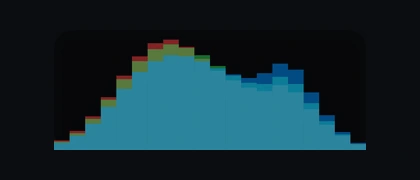
See the light before it burns.
A live histogram warns you about the highlight you were about to lose. Fix it now. Not in the edit, and not in regret.

Step back. Lean in.
Wide for the whole street. Long for the one face in the crowd. Every lens on your iPhone, one thumb apart.
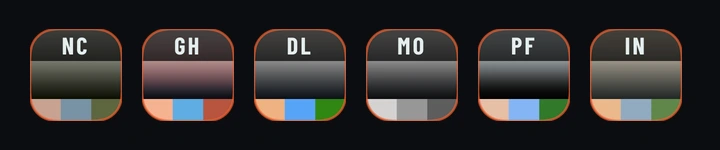
The look is live.
Frame the scene already graded. Warm evenings, night streets, soft skin. Turn a look up for drama or down to a whisper, then shoot.
Press once. Keep everything.
Bayer RAW straight from the sensor, or ProRAW on 48 MP models. Your photos go to your library and nowhere else. No account, no cloud.
Photos that look like the moment.
Not like a phone. Free to download, with Pro as a one-time purchase or a yearly plan.
Also in 1.3
Everything after the shutter stays yours.
01 · THE LAB
Edit without leaving the moment
Crop, turn a look up or down, add grain, halation and bloom. Undo as far as you like. Nothing is sent anywhere.
02 · A GUIDED TOUR
Learn the camera in a minute
Settings, then Help. A short walk through every control, so the first manual shot feels easy.
03 · NO ACCOUNT
Your photos go to one place
Your Photos library. No sign-up, no cloud upload, no one else in the room.
Overview
What is Pro Camera : Iris?
Pro Camera : Iris (Iris Pro) is a manual RAW camera app for iPhone built by indie studio BytenPixels with zero AI processing. Instead of running multi-frame Smart HDR, Deep Fusion sharpening, or automatic skin smoothing, Iris captures untouched single-frame 12 MP Bayer RAW (DNG), 48 MP Apple ProRAW on supported Pro models, or HEIC.
Every control sits under one thumb—mode dial, tactile rulers, focal-length strip, live color looks, and highlight warnings—and every photo saves straight to your Apple Photos library with no account and no cloud upload.
Release 1.3
What’s new in Iris 1.3
Physical Deck & P / A / S / ISO / M Mode Dial
Switch instantly between Program auto, Aperture priority, Shutter priority, ISO priority, and full Manual with dedicated readout panels and tactile thumb rulers.
Live Looks in the Viewfinder
Compose with Night City, Golden Hour, Daylight, Mono, Portrait, or Interior looks live before pressing the shutter, and dial look strength up or down.
The Lab On-Device Darkroom
Crop, refine look intensity, and add grain, halation, and highlight bloom right after shooting with non-destructive undo—100% on device.
Live Exposure Tools & 1-Minute Guided Tour
Monitor highlights in real time with Live Histogram, Zebras, and Waveform, and learn every control in a minute via Settings → Help.
Specifications
Camera features & technical specs
- App Store Name
- Pro Camera : Iris (by BytenPixels)
- System Requirements
- iPhone running iOS 17.0 or later (48 MP ProRAW requires a supported iPhone Pro model)
- Capture Formats
- 12 MP Bayer RAW (DNG), 48 MP Apple ProRAW, HEIC
- Image Pipeline
- Zero AI processing in Bayer RAW — single-frame sensor data, no smoothing, no invented detail
- Mode Dial
- Program (P), Aperture (A), Shutter (S), ISO, Manual (M)
- Manual Controls
- Aperture (f), ISO, Shutter Speed, Exposure Compensation (EV), Focus (AF / Manual), White Balance (AWB / Manual)
- Lenses
- 13 mm ultra-wide, 24 mm main, 100 mm telephoto — every native lens on supported iPhones
- Live Looks
- None, Night City, Golden Hour, Daylight, Mono, Portrait, Interior (with adjustable intensity)
- Exposure Monitoring
- Live Histogram, Zebras, Waveform
- Built-in Editor
- The Lab — crop, look strength, grain, halation, bloom, full undo
- Privacy & Storage
- On-device processing only; saves directly to Apple Photos library; no account, no sign-up, no cloud upload
- Pricing
- Free to download; optional Iris Pro unlock available as a one-time purchase or yearly plan
Further Reading & Companion App
Explore RAW guides & Iris Flow
FAQ
Questions
Does Pro Camera : Iris shoot true RAW?
Yes. Pro Camera : Iris captures untouched 12 MP Bayer RAW (saved as standard DNG files), 48 MP Apple ProRAW on supported iPhone Pro models, and HEIC.
Does Pro Camera : Iris use AI processing?
No. Iris does not apply automatic scene processing to your shot. In Bayer RAW, you get single-frame sensor data with no smoothing, no Smart HDR merging, and no invented detail, so your photo starts from what the sensor really saw.
Is Pro Camera : Iris free, and how does Pro pricing work?
Pro Camera : Iris is free to download on the App Store so you can explore the camera right away. Upgrading to Iris Pro unlocks the full manual camera and The Lab as either a one-time lifetime purchase or a yearly plan in your local App Store currency.
Which iPhones are supported?
Pro Camera : Iris requires an iPhone running iOS 17.0 or later. Shooting 48 MP ProRAW requires a supported iPhone Pro model.
Where do my photos go, and is my privacy protected?
Every photo saves directly to your iPhone Photos library and nowhere else. All shooting and editing in The Lab happen on device—there is no account, no sign-up, and no cloud upload.
How is Pro Camera : Iris different from Iris Flow?
Pro Camera : Iris is a single-frame manual camera built for pure Bayer RAW, ProRAW, live looks, and zero AI processing. Iris Flow is BytenPixels' dedicated long-exposure camera that uses handheld frame alignment and stacking for silky waterfalls, light trails, and crowd removal.
How do I get the Iris Pro lifetime deal?
Install Pro Camera : Iris from the App Store and open the Lifetime deal redemption link (App Store offer code: iriscam) on your iPhone to view and redeem the one-time lifetime offer.
Which languages are available?
Documentation and product guides on bytenpixels.com are available in English, Japanese, and Korean, and camera readouts use standard international photographic notation (mm, f, ISO, EV, P/A/S/M).
Free to download